Viewing Journal Alarms to Determine Operator Responsibility
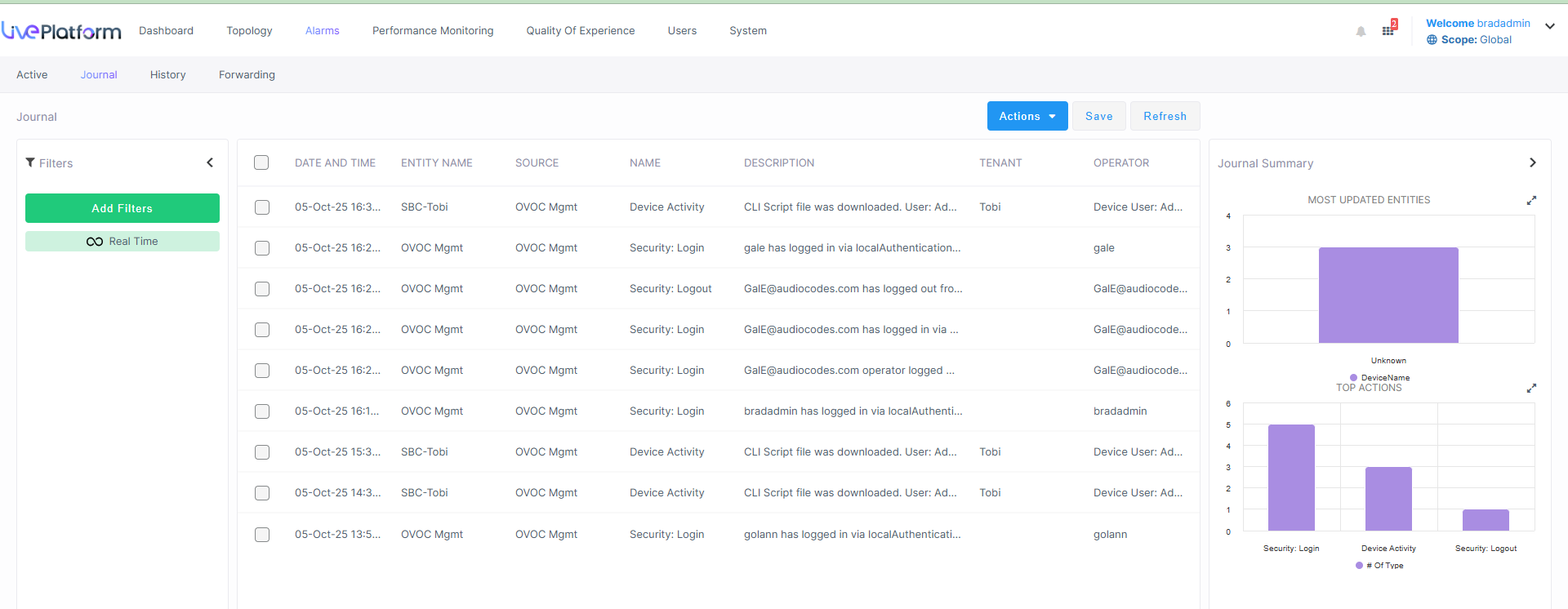
The Journal Alarms page lets you view actions of operators performed historically in Live Platform. The page can help you determine if operator activity may have been responsible for an active alarm. You can then reference the History page to verify correlation (see Viewing History Alarms).
The Journal Alarms page reflects all actions performed by network administrators in AudioCodes's Device Manager. Records of network administrator actions are sent from the Device Manager to Live Platform to be displayed in the Live Platform Journal Alarms page.
Any activity performed on Live Platform is captured and displayed in the Journals Alarms page, including the source IP of the user. This applies to all actions performed by Live Platform administrators such as logging in, changing password, or creating new users. For some events, the status update states reported. For example, when changing user Security level from 'Admin' to 'Monitor' both the original level and the updated level are reported.
|
■
|
In the Journal Alarms page shown in the preceding figure, you can see that a new user has been added by acladmin. |
|
■
|
Also displayed is the 'Operator IP Address' (source IP) from where acladmin added the new user.
|
New Journal actions are logged whenever operators access private information:
|
■
|
When they access the Calls screen |
|
■
|
When they access Call Details |
|
■
|
When they access URI / User Reports |
You can filter Journals as follows: